Introduction
This article provides information on PayCAS's "basic operations," "management screen," "owners club (app)," and "support."
Preparation
-
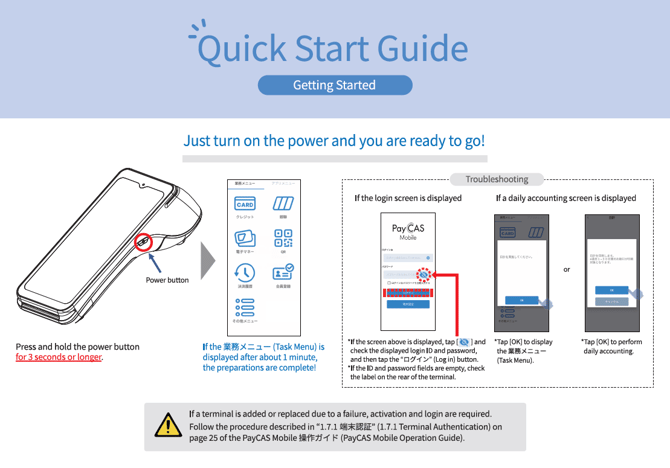
Turn on the terminal
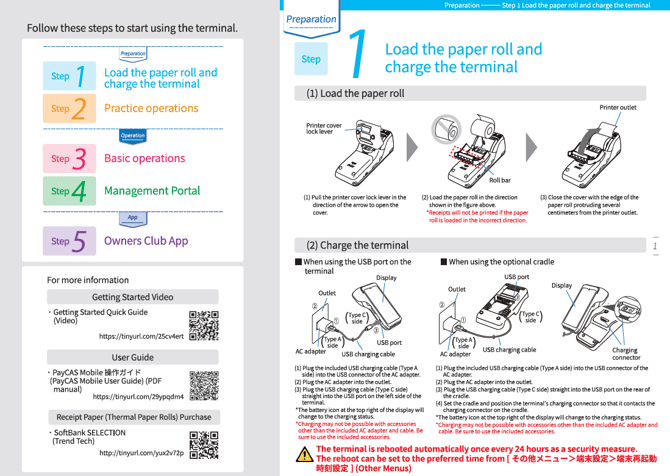
- Load the paper roll and charge the terminal
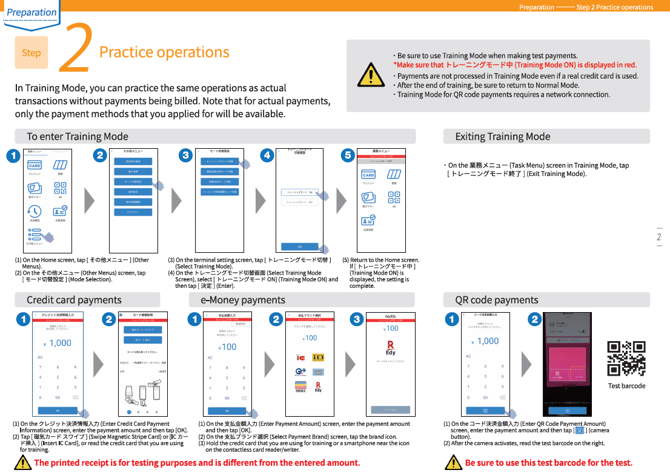
- Practice payment operations
Basic operations
-
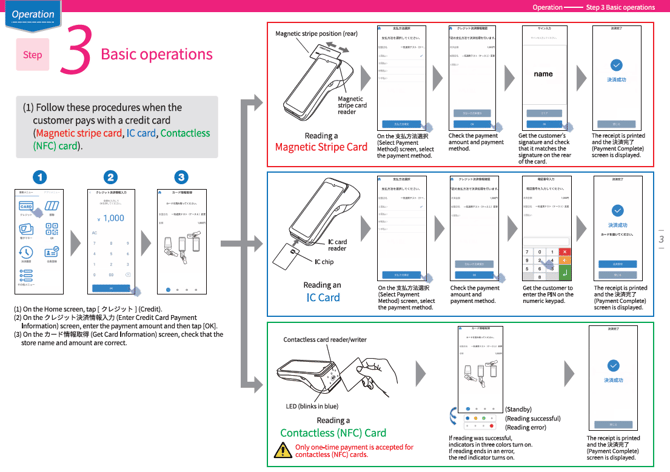
Make a payment with a credit card
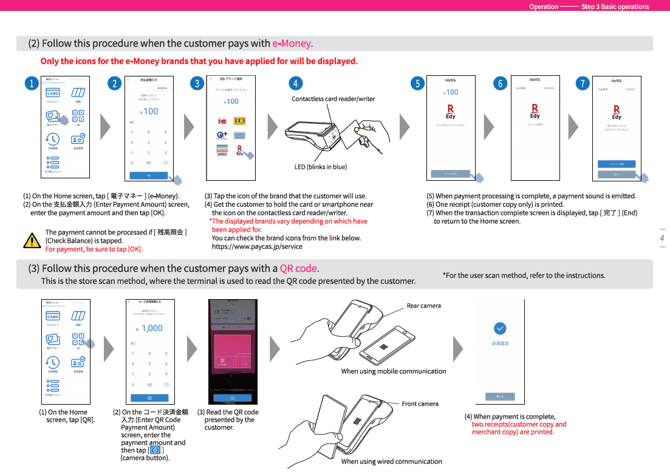
- Make a payment with electronic money or QR code
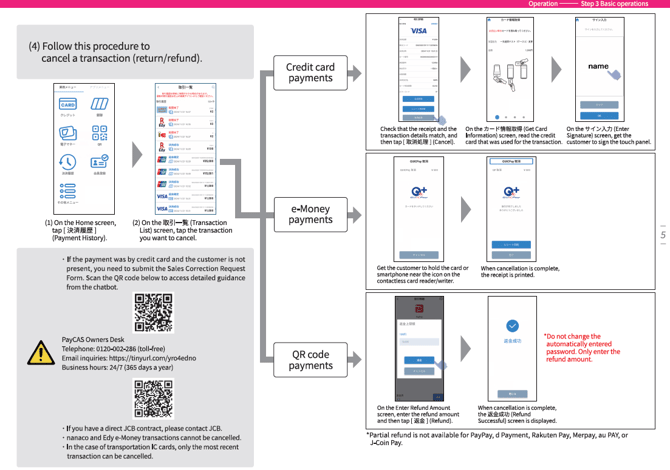
- Cancel a transaction (return/refund)
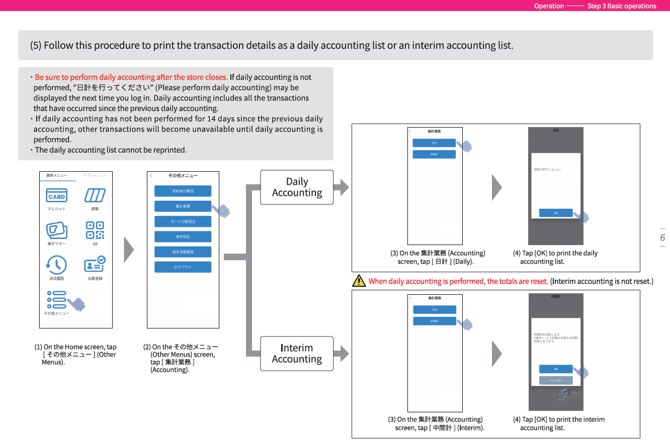
- Print the daily/interim total of transaction details
Management Screen
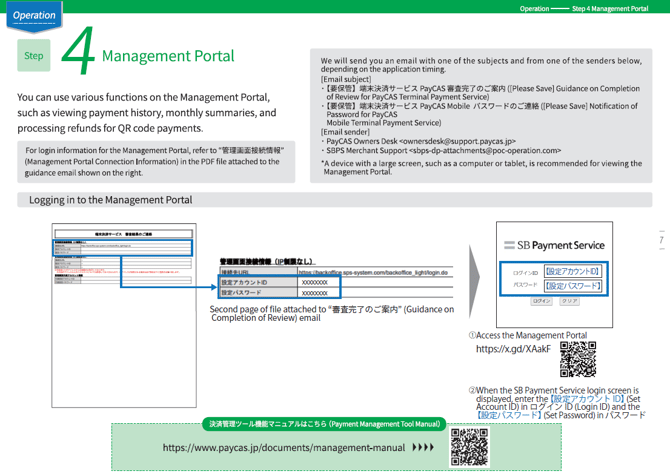
The management screen allows you to check payment details and payment history. See here for details.
Owners Club
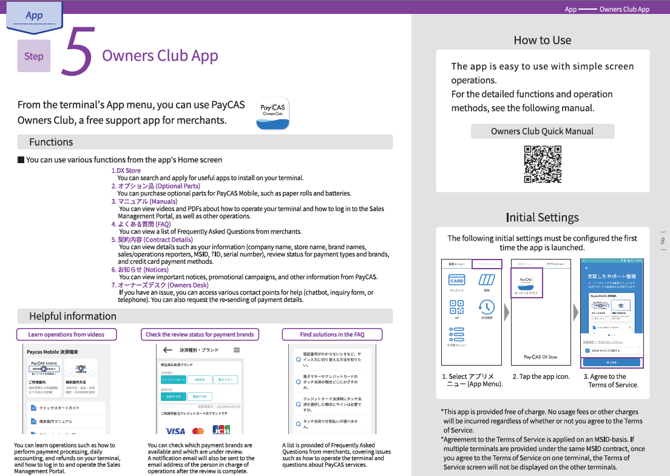
The Owners Club allows you to check customer information and application status. You can also add or cancel apps. See here for details.
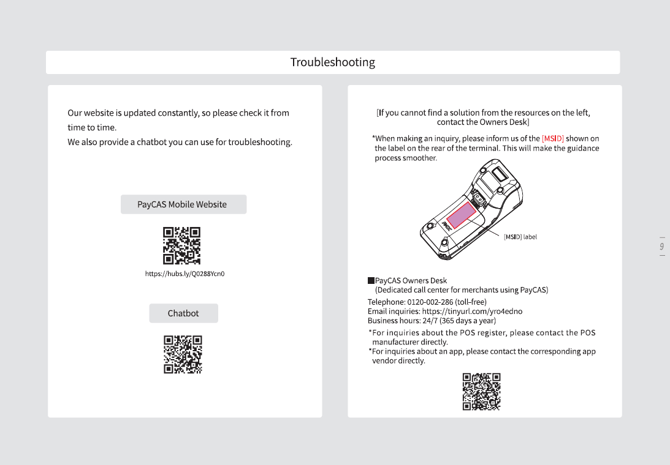
Support
PayCAS provides telephone and form contact options. See here for form details.